- Home
- Features
Everything you need to pick fast and right.
pickBlink covers the whole trip from “new order” to “shipped”: where things are, what to pick, checking it, and telling the store.
Pick map on your own photo
Every storage unit is a photo of the real thing with its bins marked. Rectangles or any shape, with zoom, colours per zone and product photos on the bins.
Orders from every store
Shopify, WooCommerce and BigCommerce push new orders instantly; Etsy, eBay, Amazon and Wix are checked every 15 minutes. Manual orders and CSV export too.
Walking order
Items are sorted by where they are on the shelves, so a picker walks each aisle once. Numbers on the photo show the order.
Batch picking
Select several orders and press Pick together: one combined list on the same lit-up photo, then complete them all at once.
Barcode scanning
Scan with the phone camera, or plug in any USB or Bluetooth scanner (they type like a keyboard). Barcodes come from your store’s products.
Stock per bin and low-stock alerts
Count what’s in each bin. Completing an order deducts it, once, from the bin the picker used; the Dashboard lists bins running low.
Packing slips
Print a packing slip for an order or a whole batch from the browser, no extra software.
Mark shipped in the store
Completing an order can mark it shipped in Shopify, WooCommerce, BigCommerce, Etsy, eBay and Wix. (Amazon needs a tracking number, so it isn’t included.)
New-order alerts
While pickBlink is open it checks for new orders, plays a chime and, in the background, shows a system notification.
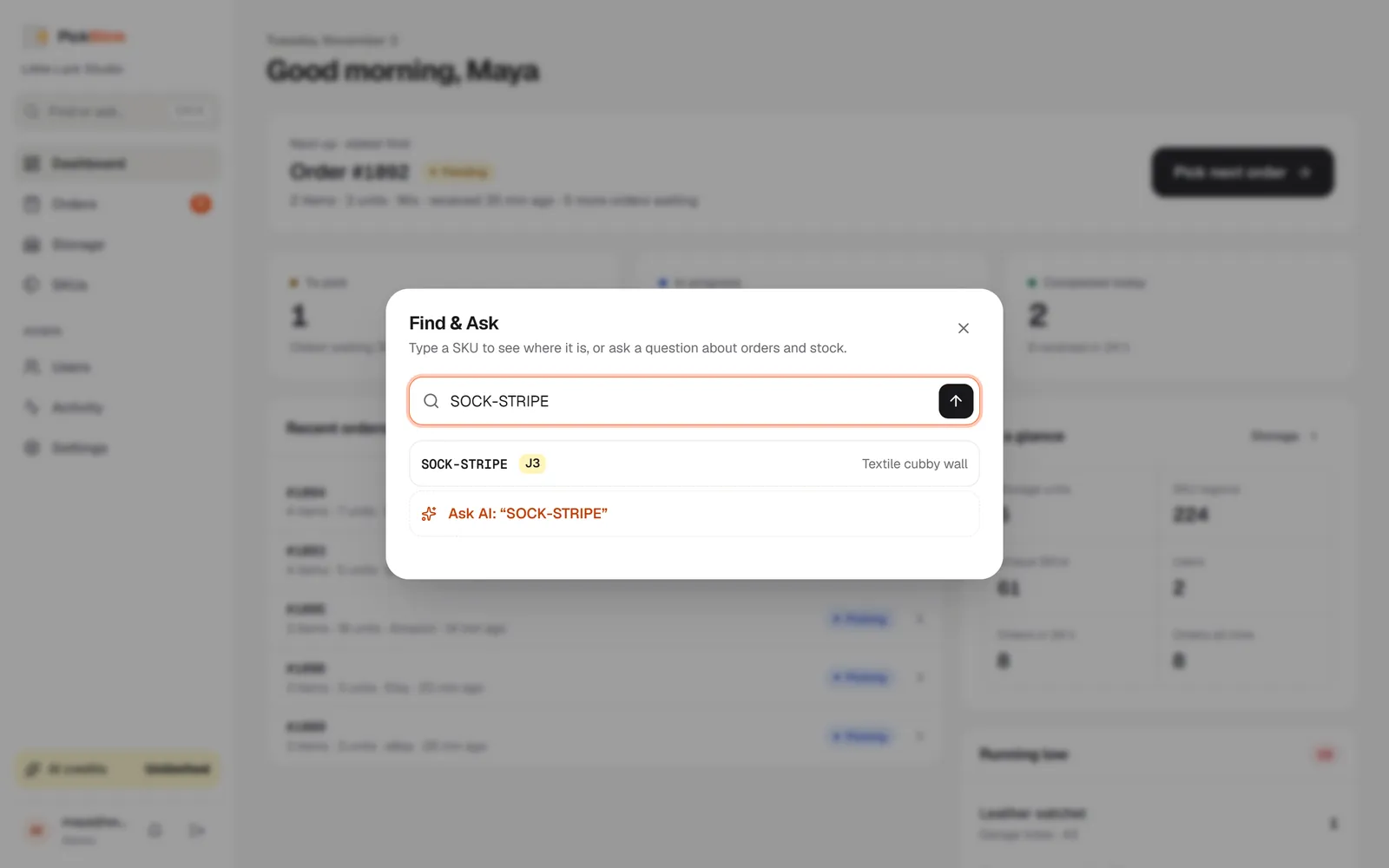
Find & Ask
Press Ctrl K and type a SKU to see its bin on the photo, or ask a question like “what’s left to pick today?”.
AI that saves setup time
Auto-detect the bins on a photo (1 credit), get placement suggestions for products (3 credits) and ask the assistant (1 credit). If AI fails, the credit is refunded.
Teams and roles
Invite staff by link. Staff pick, pack and manage storage; admins also manage users, stores and settings.
Works on phones
Made for picking with a phone in hand: big buttons, a focus mode for the current item, and it can be installed to the home screen.
Where is it? Just ask.
Type a SKU and pickBlink shows the bin it’s in. Or ask in plain words, like “which bins are low?” or “how many orders are waiting?”.
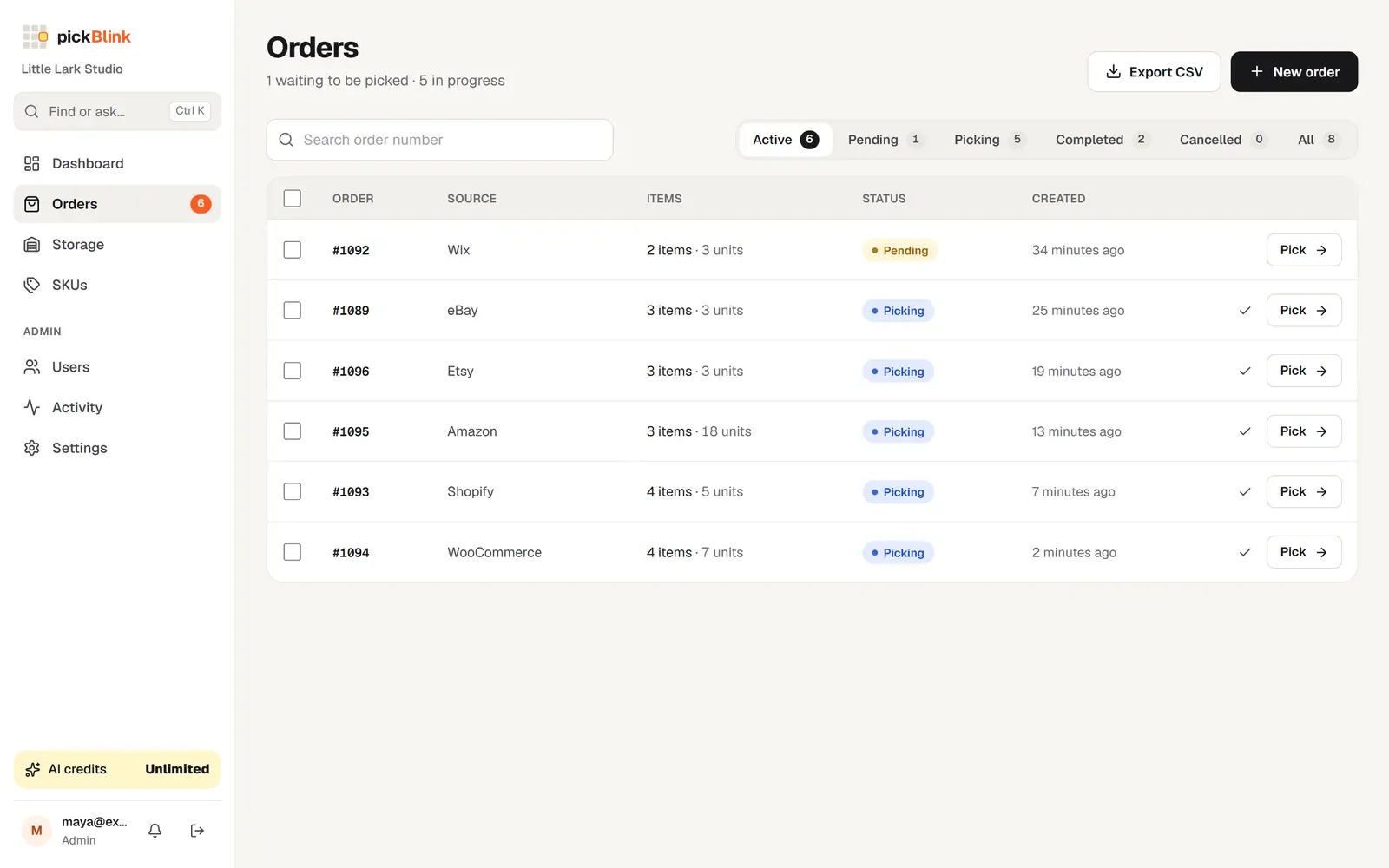
One queue for every channel.
Orders from all your stores land in one list, oldest first. Filter by status, search by number, export to CSV, or select several and pick them together.
Light up your next order.
Set up your first shelf in about ten minutes. Try pickBlink free for 3 days, no card needed. Then $9 a month, with 100 AI credits included.