- Home
- Integrations
- WooCommerce
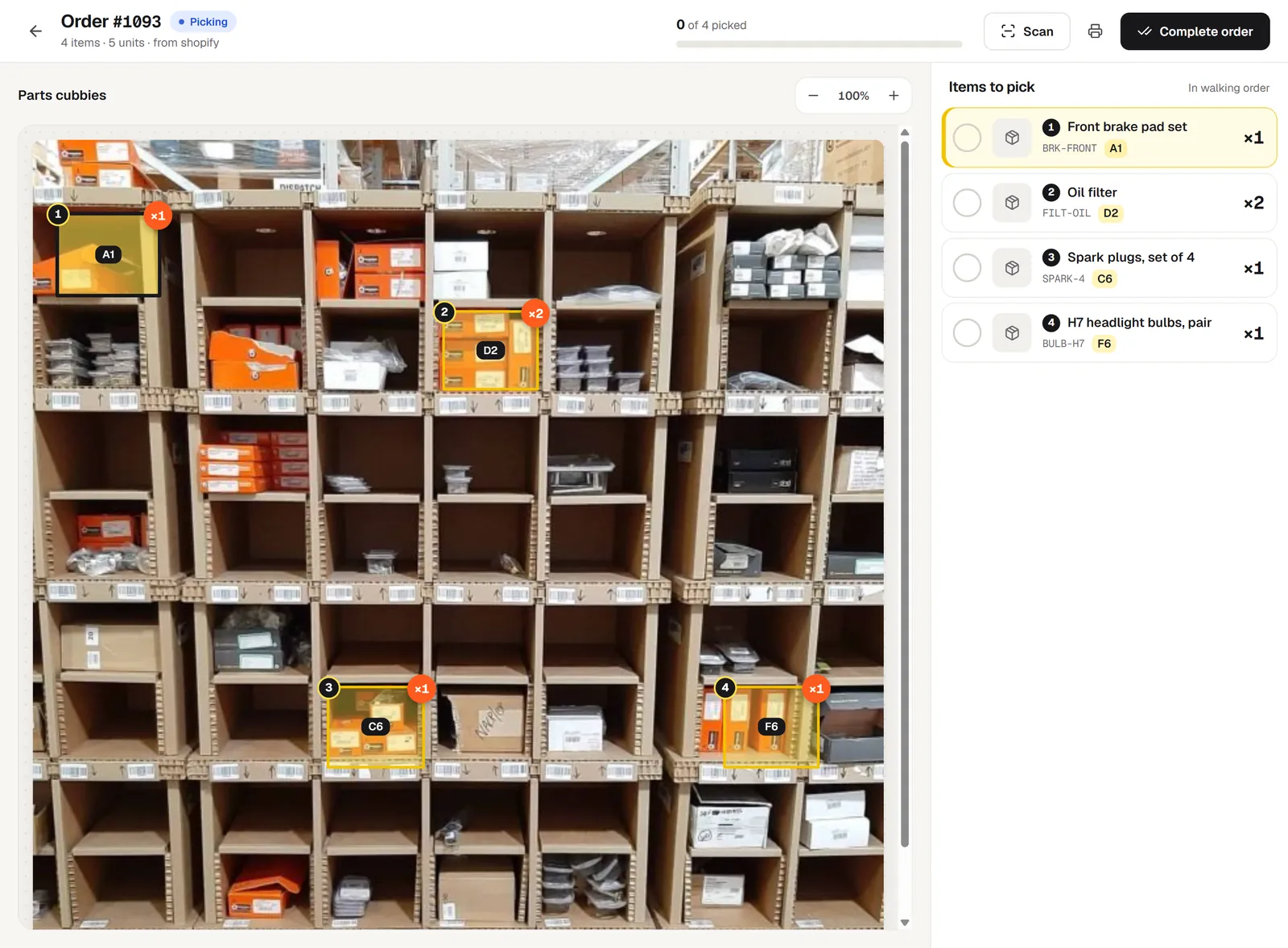
Pick your WooCommerce orders from a photo of your shelves.
Connect WooCommerce to pickBlink and every new order shows up with its bins lit on your shelf photo, numbered in walking order. New WooCommerce orders arrive in pickBlink within seconds of being placed.
Connect WooCommerce in three steps
- In Settings → Your stores, click Connect on WooCommerce.
- Type your shop address, for example https://your-store.com.
- Approve the request in WordPress. pickBlink creates the API keys and the order webhook for you.
What comes in from WooCommerce
- Orders: New WooCommerce orders arrive in pickBlink within seconds of being placed.
- Products: Products and variations come in with their names, photos and barcodes, where your shop stores them.
- Shipping status: When an order is completed in pickBlink, it can be set to Completed in WooCommerce, which sends the customer WooCommerce’s usual completed-order email.
Your shop needs HTTPS and the WooCommerce REST API (on by default).
WooCommerce questions
How do WooCommerce orders get into pickBlink?
New WooCommerce orders arrive in pickBlink within seconds of being placed. WooCommerce sends each new order to pickBlink as soon as it’s placed.
Does pickBlink import my WooCommerce products?
Products and variations come in with their names, photos and barcodes, where your shop stores them. You then drag each product onto its bin on the shelf photo, or let AI suggest where it goes.
Can pickBlink mark WooCommerce orders as shipped?
When an order is completed in pickBlink, it can be set to Completed in WooCommerce, which sends the customer WooCommerce’s usual completed-order email.
Does the WooCommerce integration cost extra?
No. All 7 store integrations are included in the pickBlink subscription ($9 a month) and in the 3-day free trial.
Selling on more than one channel? See all integrations.
Connect WooCommerce and pick your next order.
Set up your first shelf in about ten minutes. Try pickBlink free for 3 days, no card needed. Then $9 a month, with 100 AI credits included.