- Home
- How it works
From a shelf photo to a picked order.
Setting up pickBlink takes about ten minutes for the first shelf. Here’s every step, with screenshots from the app.
Start your free trial
Sign up with your email and business name. You get 3 days free with every feature and 20 AI credits. No card needed.
Photograph a shelf
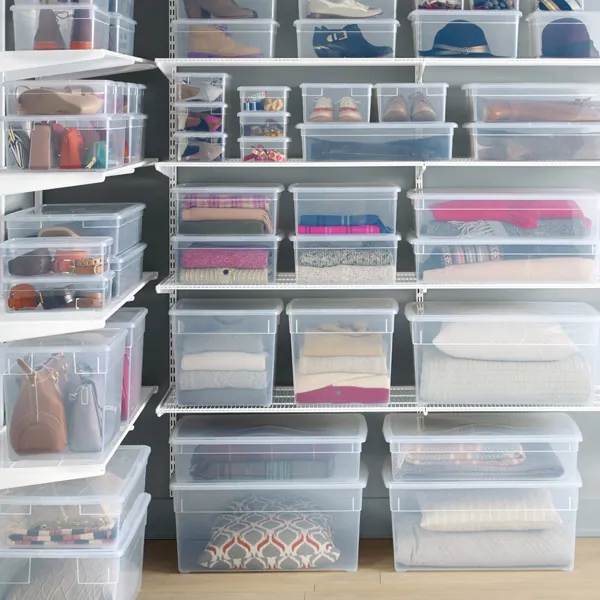
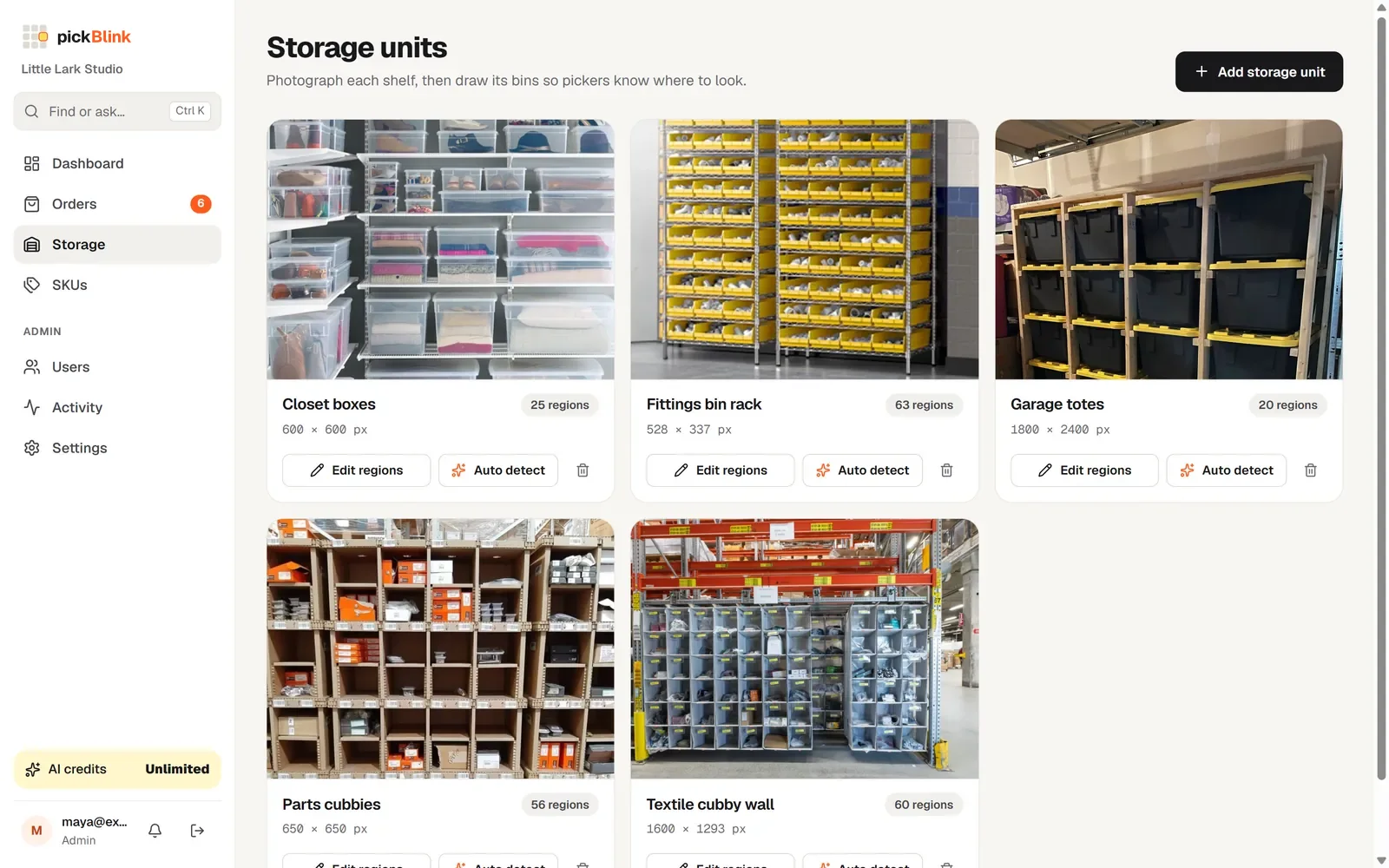
Stand back and take one straight photo of a shelf, rack or wall of drawers. Upload it as a storage unit and give it a name like “Bin wall” or “Shelf A”.
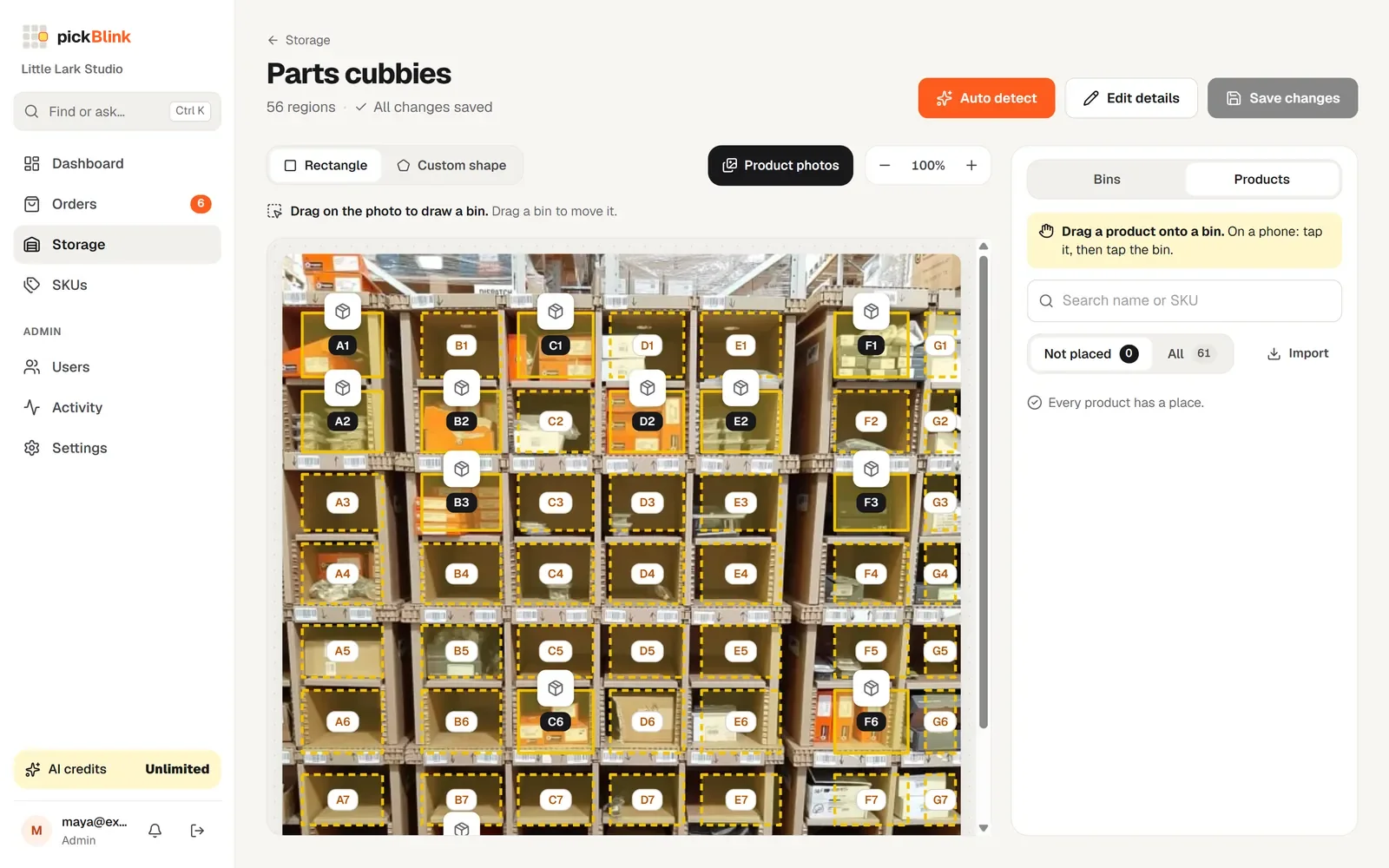
Mark the bins
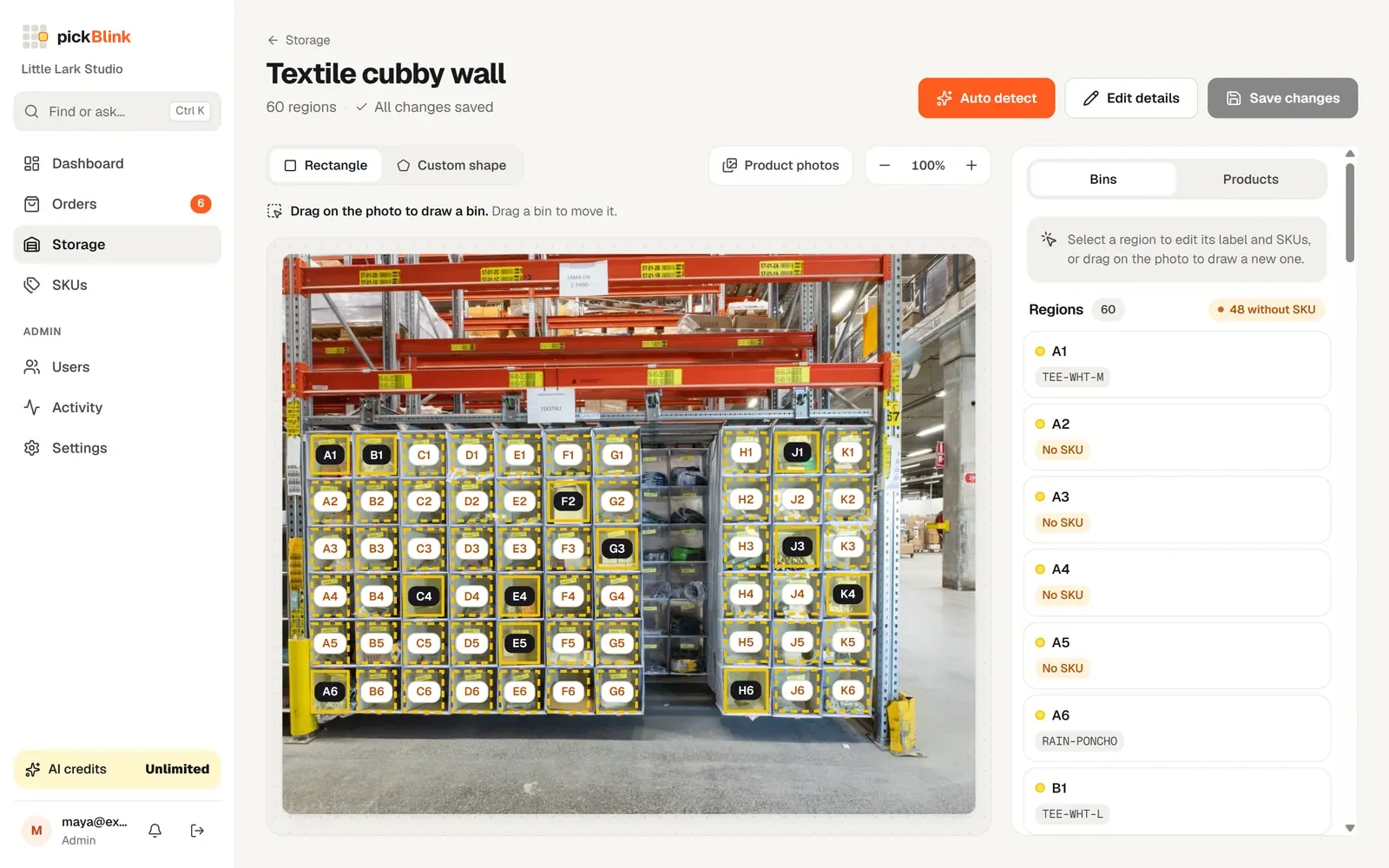
Click Auto detect and AI outlines every bin and labels them (A1, A2…), or draw rectangles or any shape yourself. Adjust anything by dragging.
Connect your stores
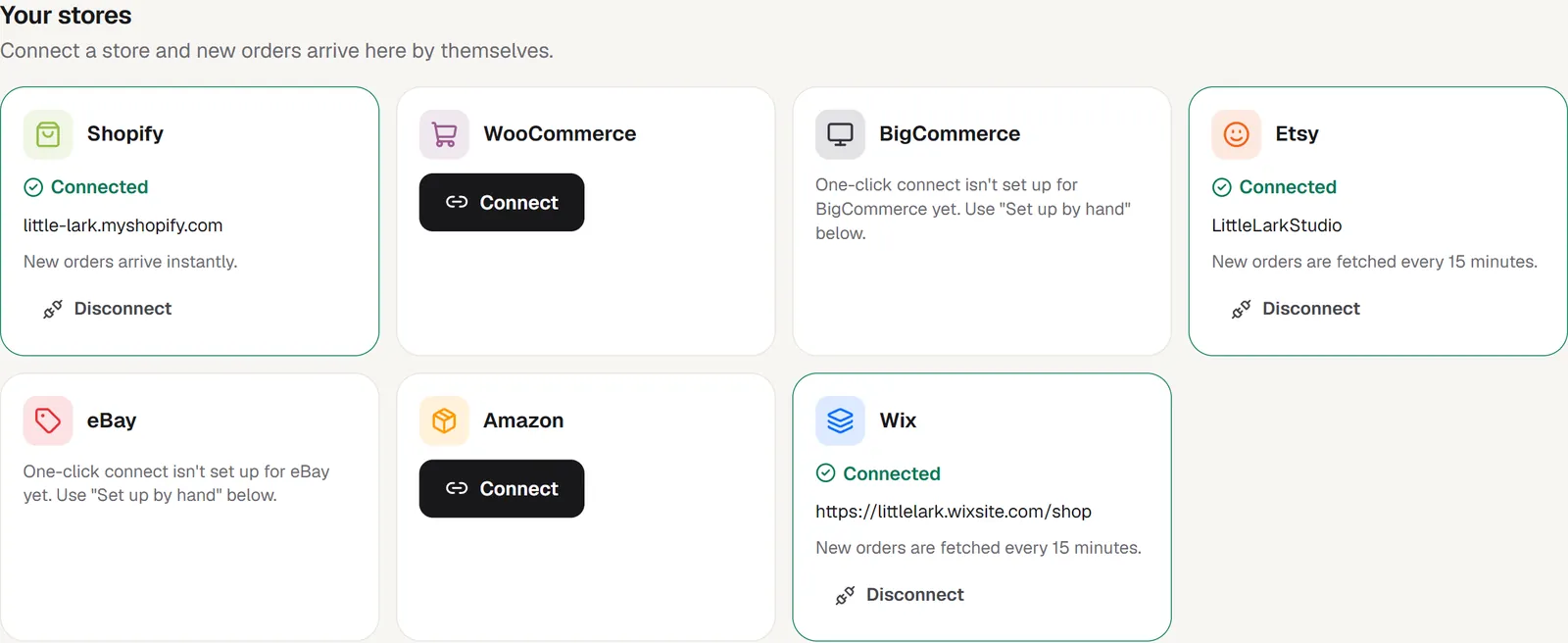
In Settings → Your stores, click Connect on each store you sell on and approve pickBlink there. New orders then arrive by themselves.
Put products in bins
Your store’s products appear with their photos. Drag each onto its bin, or click Suggest with AI and accept the suggestions. Add stock counts if you want low-stock alerts.
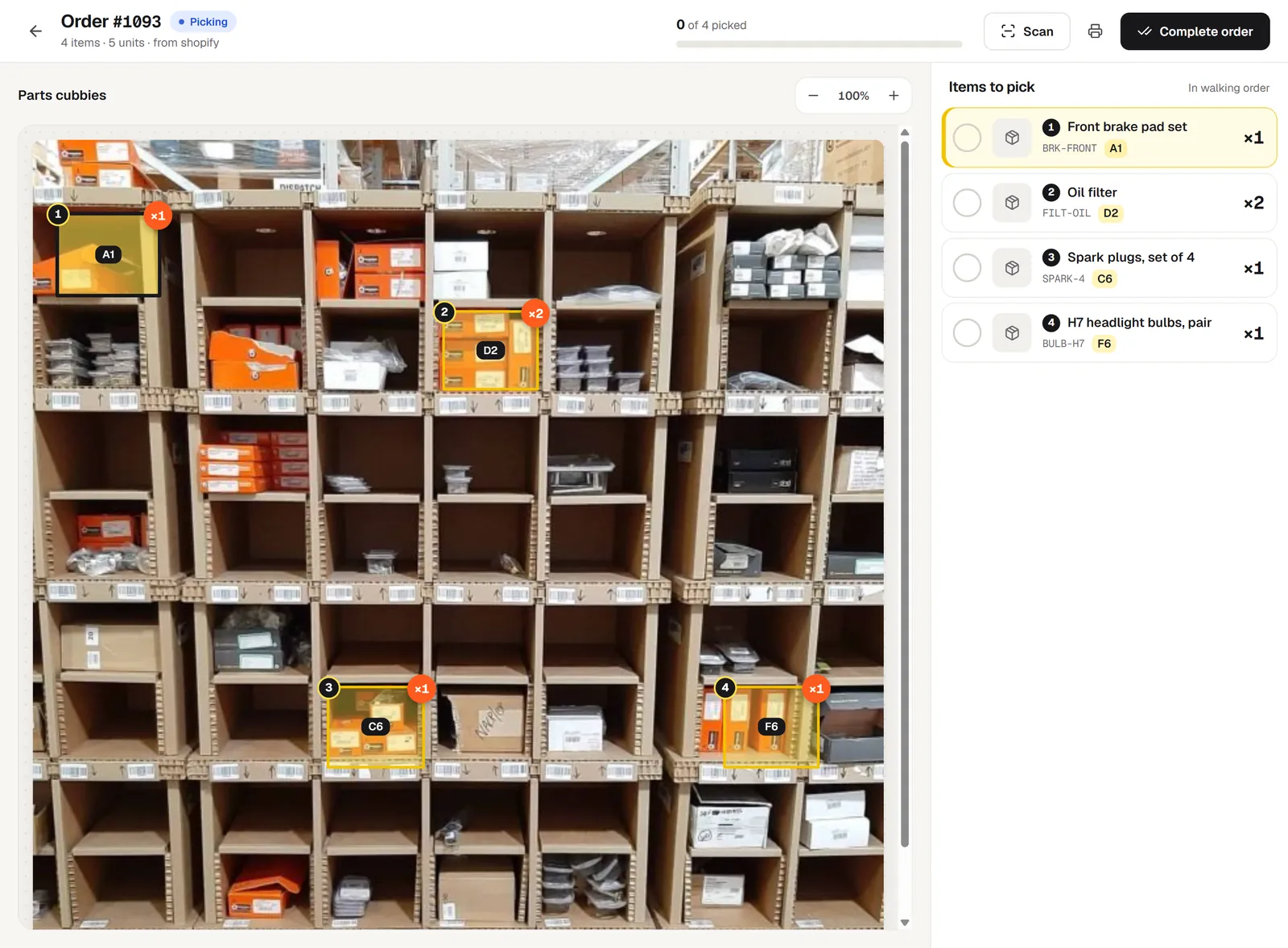
Pick, check and complete
Open an order: its bins light up, numbered in walking order. Tick or scan each item, then complete the order. Stock is deducted and the store is told it shipped.
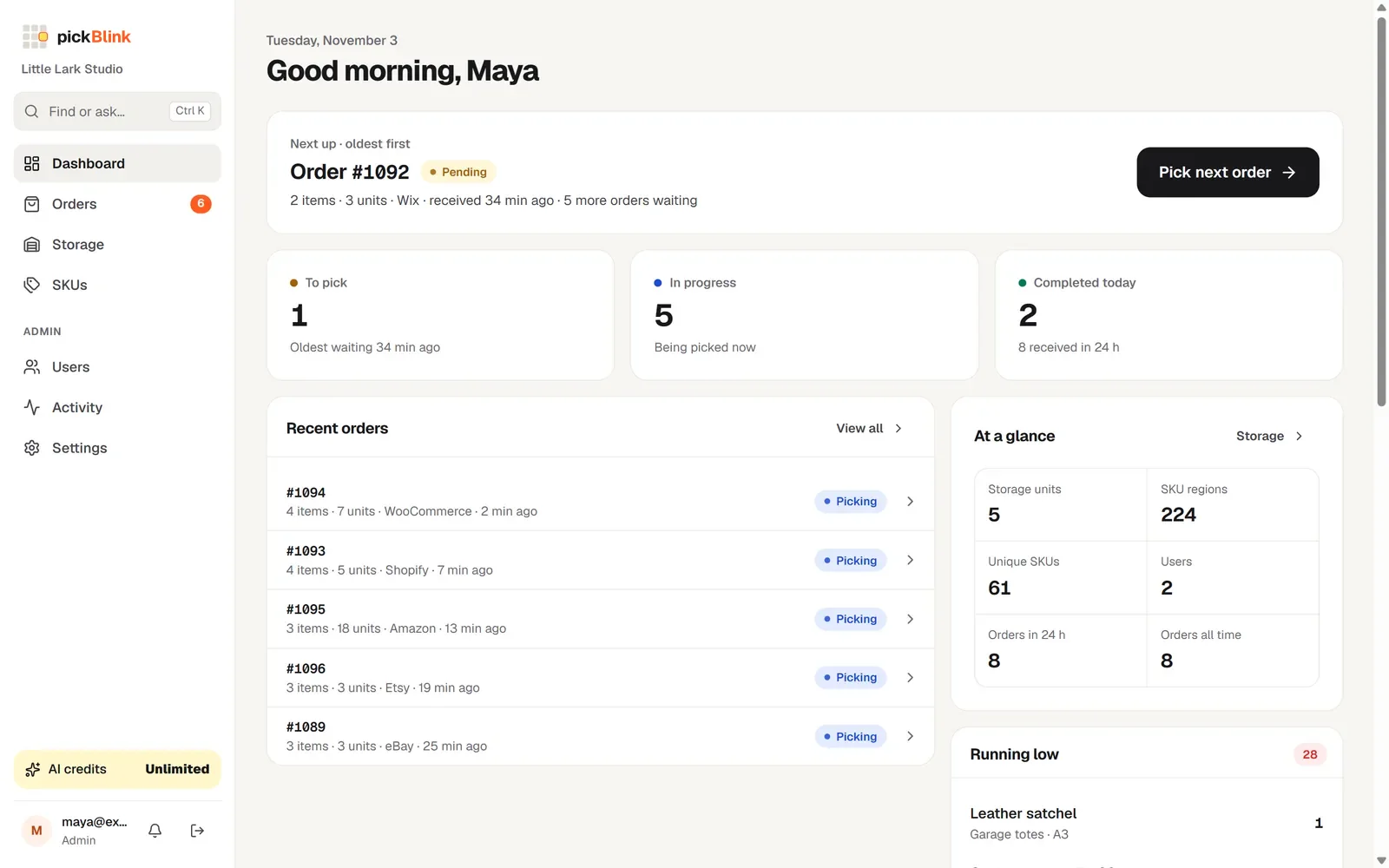
Your daily routine, simplified.
Open the Dashboard, press Pick next order, follow the lights. New orders chime in while the app is open, and the Dashboard tells you which bins are running low.
Light up your next order.
Set up your first shelf in about ten minutes. Try pickBlink free for 3 days, no card needed. Then $9 a month, with 100 AI credits included.