Most small shops don’t lose time packing; they lose it looking. Walking back to a shelf twice, opening the wrong tote, picking a blue mug instead of the teal one. A little structure fixes most of it, and you don’t need warehouse software or barcodes on every shelf to get there.
1. Group storage into units
Start by naming the big things: each shelf, rack, drawer cabinet or wall of bins is one storage unit. Use short names you can say out loud, like Shelf A, Shelf B or Bin wall. If your space has a natural walking route, name units in that order.
2. Give every bin a label
Inside each unit, every bin, tote or drawer gets a label: the unit letter plus a number, counting along the shelf the way you walk. A1, A2, A3… on the top row, continuing on the next row. Keep labels short; a picker should be able to read them from two metres away.
| Scheme | Example | Good for |
|---|---|---|
| Unit + number | A7 | Most small stockrooms |
| Unit + row + bin | A-2-04 | Tall racks with many rows |
| Zone + unit + bin | G-A7 | Several rooms or a garage plus a unit |
3. Keep one product per bin where you can
A bin with three similar products in it is where picking mistakes happen. Give your best sellers their own bins first. Slow sellers can share, but keep similar-looking items (sizes, colours) in different bins so they can’t be confused.
4. Put fast movers near packing
Look at the last month of orders. The products that appear most should sit closest to where you pack, between waist and shoulder height. This is called slotting, and it’s the biggest single speed-up for most shops: most picks then happen within a few steps of the packing table.
5. Map it so anyone can find things
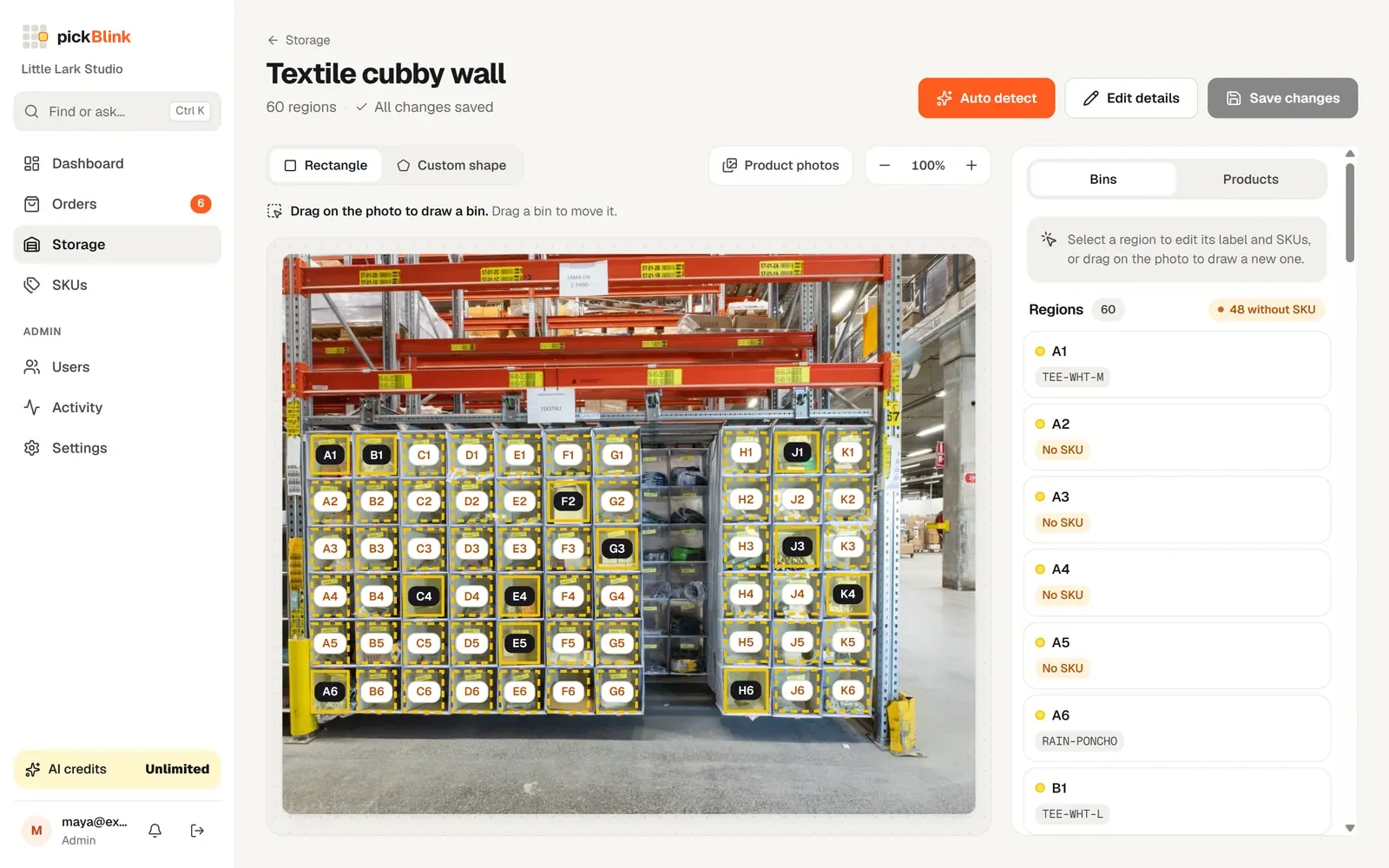
A layout only helps if people know it. Keep a map of which products are in which bin. A spreadsheet works; a photo of each shelf with the bins marked works better, because nobody has to translate “B12” into a place.
6. Count and review monthly
Count what’s in each bin once, then keep the counts up to date as orders go out. Once a month, check which bins ran low and which products moved up or down your best-seller list, and re-slot accordingly.
How pickBlink helps
pickBlink is built around exactly this system. Each storage unit is a photo; AI finds and labels the bins; you drag products onto them. When an order arrives, the right bins light up on the photo, numbered in walking order, and stock counts go down as orders are completed. See how it works.