- Home
- Integrations
- eBay
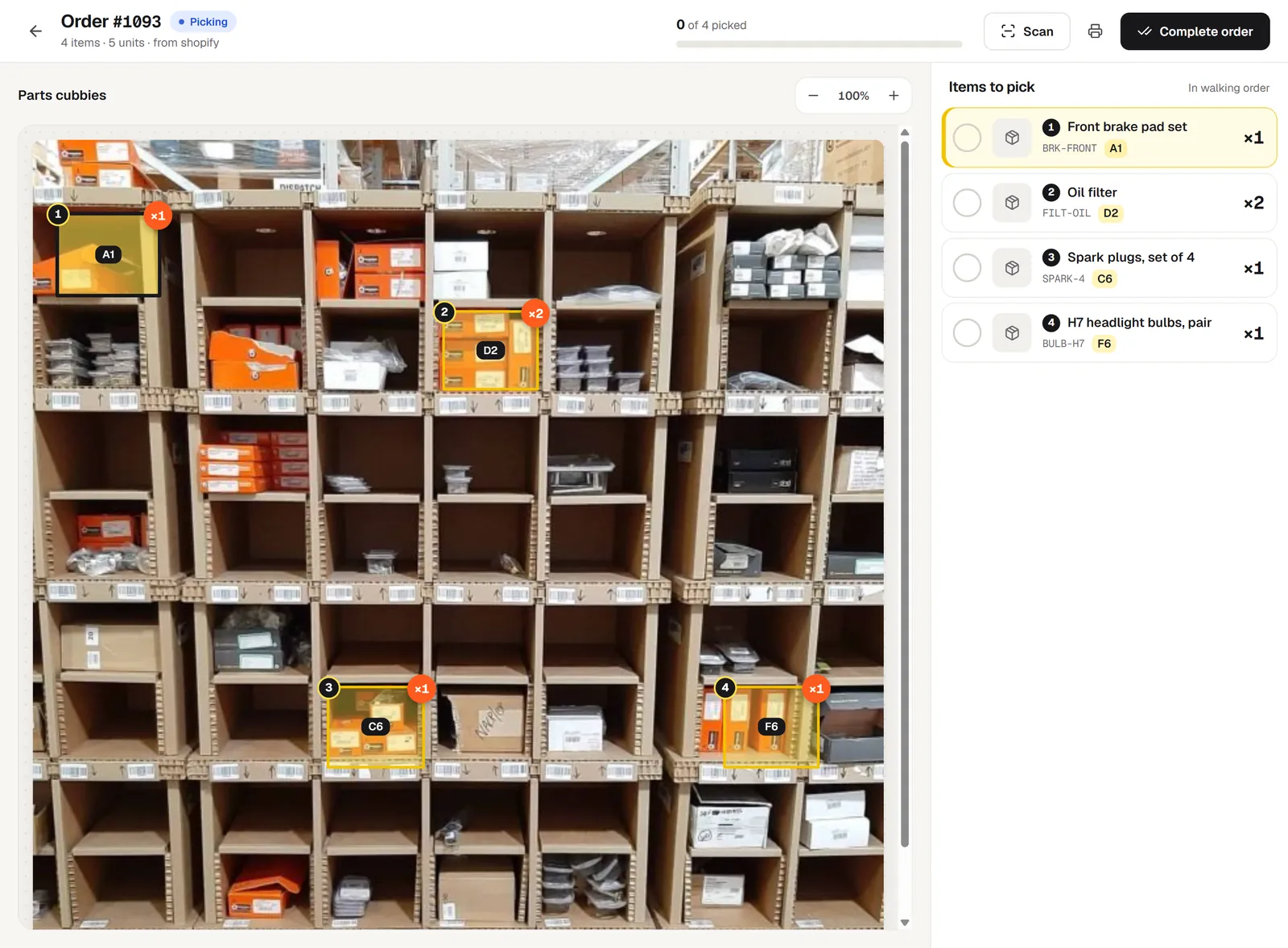
Pick your eBay orders from a photo of your shelves.
Connect eBay to pickBlink and every new order shows up with its bins lit on your shelf photo, numbered in walking order. New eBay orders appear in pickBlink within about 15 minutes.
Connect eBay in three steps
- In Settings → Your stores, click Connect on eBay.
- Sign in to eBay and grant access.
- You come back connected.
What comes in from eBay
- Orders: New eBay orders appear in pickBlink within about 15 minutes.
- Products: Inventory items come in with their titles and photos.
- Shipping status: When an order is completed in pickBlink, eBay gets a shipping fulfilment for the items not yet shipped (no tracking number).
eBay doesn’t push new orders to sellers’ apps, so pickBlink fetches paid orders every 15 minutes.
eBay questions
How do eBay orders get into pickBlink?
New eBay orders appear in pickBlink within about 15 minutes. eBay doesn’t push new orders to sellers’ apps, so pickBlink fetches paid orders every 15 minutes.
Does pickBlink import my eBay products?
Inventory items come in with their titles and photos. You then drag each product onto its bin on the shelf photo, or let AI suggest where it goes.
Can pickBlink mark eBay orders as shipped?
When an order is completed in pickBlink, eBay gets a shipping fulfilment for the items not yet shipped (no tracking number).
Does the eBay integration cost extra?
No. All 7 store integrations are included in the pickBlink subscription ($9 a month) and in the 3-day free trial.
Selling on more than one channel? See all integrations.
Connect eBay and pick your next order.
Set up your first shelf in about ten minutes. Try pickBlink free for 3 days, no card needed. Then $9 a month, with 100 AI credits included.